How credits work
Brainpercent runs on credits. One credit is one dollar. You see the price of everything before you pay for it.
The basics
- One balance. Every post, image, video and article draws from the same wallet.
- One credit is $1.00. Prices are shown in credits, never hidden in a bundle.
- Price first. Before anything paid runs, the Marketer shows a card with the cost and two buttons, Confirm and Cancel.
- Failures are free. A generation that fails is not charged, and credits taken for it are returned.
Where to see your balance
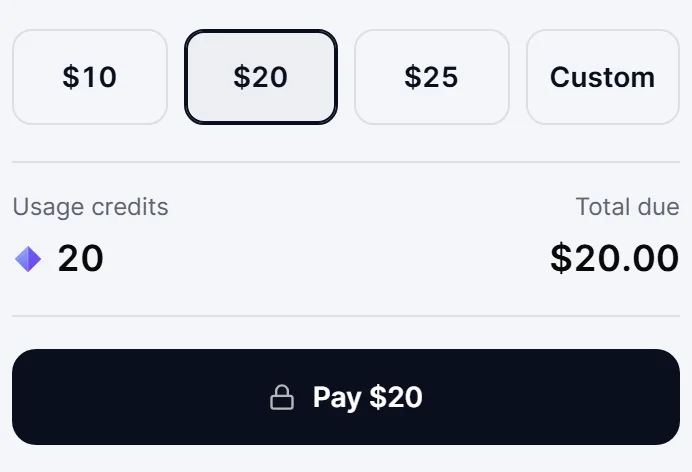
Your balance sits at the top right, next to your initial. Click it to add credits. The account menu also shows how many credits you have left. Open Usage to see every generation with its status and its exact cost. The statuses are Success, Failed, Refunded, Pending and Canceled. Billing shows what you added and what you spent, and keeps a receipt for each purchase.
How you start
A new account holds 5 credits and needs no card. They work on anything.
A free account also gets 3 free credits every calendar month, added the first time you open the app that month. Unused monthly credits expire at the end of the month, and credits you buy never expire. Saving your first brand kit with a logo or brand colors adds a one-time 2 credit setup bonus, on any plan.
Where credits come from
| Source | How it works |
|---|---|
| Welcome credits | 5 credits when you sign up. |
| Free monthly credits | Free accounts get 3 credits each calendar month, added the first time you open the app. Unused ones expire at the end of the month. |
| Setup bonus | 2 credits once, when you save your first brand kit with a logo or brand colors. |
| Your plan | Each month a paid plan adds its monthly credits. The table below has the numbers. |
| Top-ups | Buy more any time, from $10 to $1,000 at once. Top-up credits never expire. |
| Lifetime deal | Launch credits when your license is activated, then more every month for life. Unused monthly credits roll over, up to 3 months' worth. See the AppSumo pages. |
| Plan | Monthly price | Yearly price | Credits each month |
|---|---|---|---|
| Starter | $79 | $828 | 60 |
| Plus | $149 | $1,428 | 110 |
| Pro | $299 | $2,868 | 220 |
| Business | $799 | $7,668 | 625 |
Plan credits are spent first. Top-up credits are spent after them. On the current plans, plan credits you do not use carry over to the next month, up to one extra month of your allowance. Older subscriptions keep the rate they signed up with, which can carry over a smaller share.
What things cost
Prices are per item. A five-slide carousel is billed for five slides. These are the list prices, and they are the same on every plan. A bigger plan gives you more credits, not cheaper actions.
| What you make | Credits |
|---|---|
| Social post | 0.6 |
| Carousel slide | 0.5 |
| Article | 1.5 |
| SEO article (SERP research) | 2.5 |
| AI image | 0.3 |
| Video Studio (5s) | 2 |
| Actor reference pack | 3 |
| Voiceover (per 1k chars) | 0.5 |
| Music (per minute) | 0.5 |
| Brand brain setup | 0.5 |
Video and image prices depend on the model and the size you pick. The Video and Images guides explain the tiers. Inside the app, the Price list shows the same numbers.
The full price list
Everything that has a price, by group. Each line is for one unit, as its name says.
Content
| Action | Credits |
|---|---|
| Article | 1.5 |
| SEO article (SERP research) | 2.5 |
| App Store listing | 3 |
Social
| Action | Credits |
|---|---|
| AI image (lite) | 0.1 |
| Image to prompt | 0.1 |
| Rewrite selection | 0.1 |
| AI image | 0.3 |
| AI image (plus) | 0.4 |
| YouTube chapter analysis | 0.5 |
| Carousel slide | 0.5 |
| Social post | 0.6 |
| AI image (pro) | 0.6 |
| Face swap | 0.6 |
| Infographic | 0.75 |
| Fact-check claims | 0.75 |
| AI image (ultra) | 1.2 |
| AI image (max) | 2.5 |
Video
| Action | Credits |
|---|---|
| Video captions (per minute) | 0.1 |
| Short clips (per source minute) | 0.1 |
| AI video edit (per minute) | 0.2 |
| Video restyle (per 5s) | 0.25 |
| Video sound effects (per 5s) | 0.25 |
| Add music to video | 0.25 |
| Add subtitles to video | 0.3 |
| Actor reference sheet | 0.5 |
| World panorama | 0.5 |
| World take shot | 0.6 |
| Persona style / wardrobe | 0.75 |
| Shot plan (quick) | 0.8 |
| Shot plan (working) | 0.8 |
| Shot plan (full sheet) | 0.8 |
| Video Studio (5s, lite) | 1 |
| Short clip (per short) | 1 |
| World (3D) | 1 |
| Scene preview (quick) | 1 |
| Video Studio (5s, value) | 1.3 |
| Video edit FX (per 5s) | 1.5 |
| Scene preview (standard) | 1.5 |
| Lip sync (per 5s) | 1.6 |
| Podcast video (per 5s) | 1.6 |
| UGC clip | 1.8 |
| Recreate a video (shots) | 1.9 |
| Video | 2 |
| Video Studio (5s) | 2 |
| Motion sync (per 5s) | 2 |
| Video scene (5s, 720p) | 2 |
| AI video in chat | 2.5 |
| Animated video | 2.5 |
| Actor reference pack | 3 |
| Scene preview (full) | 3 |
| Video upscale (per 5s) | 3.2 |
| Replace actor (per 5s) | 3.5 |
| Genjutsu 480p (per 5s) | 3.6 |
| Reel | 3.75 |
| Reel (15s) | 3.9 |
| Video Studio (10s) | 4 |
| Video Studio (5s, 1080p) | 4 |
| Reel (10s, standard) | 4 |
| Video scene (10s, 720p) | 4 |
| Video scene (5s, 1080p) | 4 |
| Recreate a video (15s, film) | 5 |
| Video Studio (15s) | 6 |
| Reel (15s, standard) | 6 |
| Video scene (15s, 720p) | 6 |
| Reel (30s) | 6.9 |
| Recreate a video (15s) | 6.9 |
| App Store video | 7 |
| Genjutsu 720p (per 5s) | 7.6 |
| Video Studio (10s, 1080p) | 8 |
| Video Studio (5s, ultra) | 8 |
| Reel (10s, 1080p) | 8 |
| Video scene (10s, 1080p) | 8 |
| Recreate a video (30s, film) | 11 |
| Reel (45s) | 11.9 |
| Video Studio (15s, 1080p) | 12 |
| Reel (15s, 1080p) | 12 |
| Video scene (15s, 1080p) | 12 |
| Recreate a video (30s) | 12.9 |
| Video Studio (5s, max) | 18 |
| Genjutsu 1080p (per 5s) | 18.2 |
Audio
| Action | Credits |
|---|---|
| Audio transcription / minute | 0.07 |
| Voice preview | 0.1 |
| Sound effect (per 10s) | 0.25 |
| Music (per minute) | 0.5 |
| Voiceover (per 1k chars) | 0.5 |
| Podcast audio (per 1k chars) | 0.5 |
| Voice changer (per minute) | 0.75 |
| Studio music (per minute) | 2 |
| Clone voice | 3.75 |
| Design voice | 7.5 |
Intelligence
| Action | Credits |
|---|---|
| Keyword tracker check (your sources) | 0.02 |
| Search research (per unit) | 0.05 |
| Keyword tracker check (whole web) | 0.05 |
| Intelligence desk setup | 0.1 |
| Audience profile | 0.1 |
| Voice minute | 0.25 |
| Brand style analysis | 0.25 |
| AI visibility check | 0.4 |
| Find article ideas | 0.5 |
| Brand brain setup | 0.5 |
| Website brand scan | 0.5 |
| LLM mentions refresh | 1.5 |
What costs nothing
- Publishing or scheduling a post you already made.
- Connecting a channel and reconnecting one.
- Saving an article draft by hand.
- Keyword and alert scans.
Chat and credits
On the free plan and on paid subscriptions, Marketer chat replies do not use credits. They have session and weekly limits instead. On a lifetime plan, chat uses credits as you go. Read The Marketer chat for the details.
When credits run out
A job you cannot pay for does not start. You see an Out of credits message, so add credits and ask again. Top-ups.